

Every time you type a prompt into ChatGPT or Claude, that text leaves your machine and lands on someone else's server. A local AI setup skips that step entirely. For most people, most of the time, sending prompts to the cloud is fine. But 81% of developers say they're concerned about data privacy when using AI tools - 56.1% "strongly" so (Stack Overflow 2025 Developer Survey). If you're pasting client contracts, unreleased code, or a patient's notes into a cloud chatbot, that concern isn't paranoia. It's a real, sourced risk.
There's a fix that doesn't require giving up AI altogether: run the model yourself. Ollama makes that almost boringly easy, and Aider turns a local model into a genuine coding assistant that edits your files and commits to git. Together they give you a self-hosted AI assistant that never phones home. This guide walks through the setup, then gets honest about where local AI wins on privacy and cost - and where cloud models still win on speed and quality.
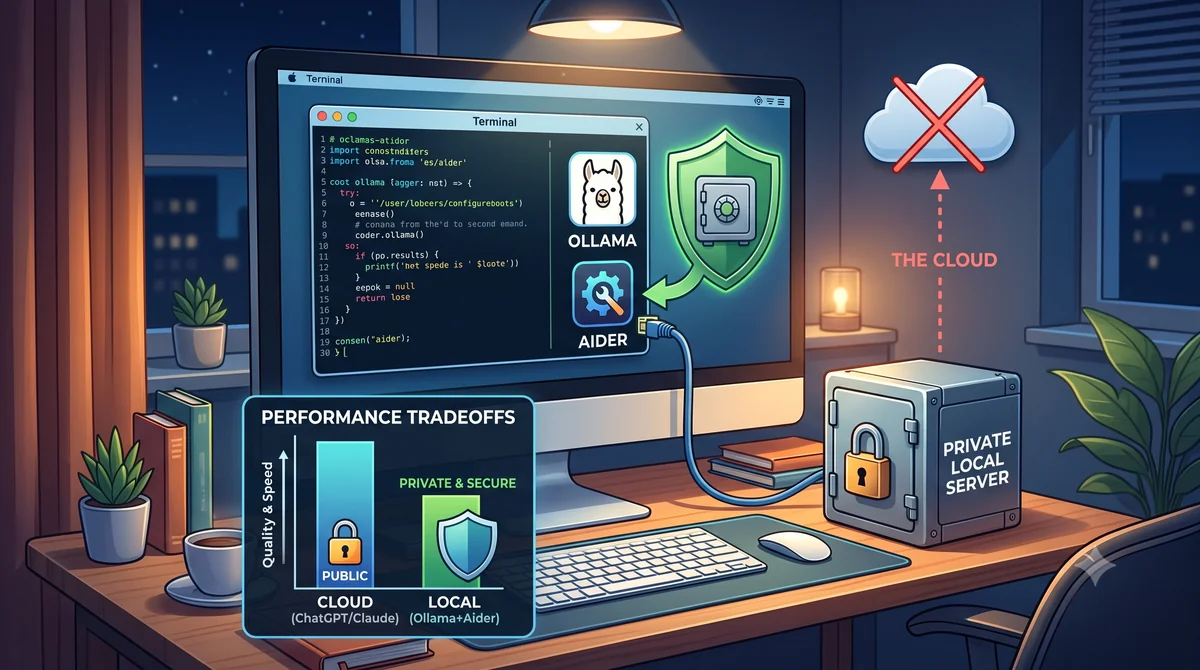
- 81% of developers are concerned about AI data privacy, and Ollama is already the most-used local AI framework among developers building agents, at 51.1% adoption (Stack Overflow, 2025).
- Local models never send your prompts anywhere - the tradeoff is a real quality gap: the best open-weight coding model scores 74.2% on SWE-bench Verified vs. 80.9% for the top closed model (Anthropic, 2025).
- Local AI only saves money for heavy, sustained use - light users are usually better off on a $20 (£16)/month cloud subscription.
- 77% of enterprise AI users paste data into chatbot queries, and 22% of those pastes contain sensitive personal or payment data (LayerX research, via The Register, 2025).
What Are Ollama and Aider, and Why Pair Them?
Ollama is a free, open-source tool that downloads and runs open-weight language models - Llama, Qwen, Mistral, Gemma - directly on your own computer, with no account, no API key, and no internet connection required once a model is downloaded. It's become the default way developers run local models: 51.1% of developers building AI agents already use it, ahead of LangChain at 33% (Stack Overflow 2025 Developer Survey).
Aider is a command-line pair-programming tool. Point it at your project, tell it what to change in plain English, and it edits the actual files, runs your tests, and commits the result to git - all without leaving the terminal. Aider works with cloud models by default, but it also talks to Ollama's local API, which is what turns "a chatbot running on my laptop" into "an AI that actually writes code in my repo."

Why Privacy Is Pushing People Toward Local AI
The concern isn't hypothetical. Since ChatGPT launched, 4.7% of employees have pasted confidential company data into it at least once - source code, client data, and internal-only documents are the three most common categories leaked (Cyberhaven Labs, analysis of 1.6 million workers). More recent research found it's worse at the point of entry: 77% of enterprise generative-AI users copy and paste data straight into chatbot prompts, 22% of those pastes contain personal or payment data, and 82% happen through personal accounts invisible to IT (LayerX research, via The Register, October 2025).
A locally-run model structurally can't leak this way - there's no network request carrying your prompt to anyone. That matters most if you handle client contracts, unreleased code, medical or legal notes, or anything covered by GDPR. The ICO's SME guidance is a good starting point if you're a UK small business figuring out where AI tools fit against your data protection obligations - and for automating other parts of the business, see our wider guide to business process automation.
If you never handle sensitive data - you're summarising public articles, drafting generic marketing copy - cloud AI's privacy risk is close to irrelevant to you. Local AI earns its keep specifically when the input is something you wouldn't want on a stranger's server.
The Real Cost Comparison — Cloud API vs. Local Hardware
A $20 (£16) per month ChatGPT Plus or Claude Pro subscription is cheap for casual use. The economics change fast once you're using AI heavily for coding through metered API access - which is what tools like Aider use by default. Anthropic's own pricing example puts a single one-hour Claude Opus 5 coding session at roughly $0.70 (£0.56), based on 50,000 input and 15,000 output tokens (Anthropic pricing docs). Scale that to a few hours of AI-assisted coding a day and a heavy user can land anywhere from $40 (£32) to $300+ (£240+) a month, depending on model tier and session length.
Local hardware - a $1,600 (£1,280) GPU like an RTX 4090, plus roughly $40–50 (£32–40) a month in electricity - costs more than a cloud subscription in year one once you count the hardware. It only pulls ahead once the GPU is effectively paid off and you're comparing $45 (£36)/month in electricity against a heavy user's $250 (£200)/month cloud API bill.
The breakeven point isn't "own a computer" - it's "use AI heavily enough, for long enough, that metered cloud costs would have exceeded the hardware spend anyway." For occasional use, the $20 (£16)/month subscription usually wins outright.
Ollama vs. other local runners
Ollama isn't the only way to run models locally, but it's the simplest to get working. Here's how it compares to the other two tools people usually ask about:
| Tool | Best For | Setup Difficulty | Aider Support |
|---|---|---|---|
| Ollama | Most users - one-line install, simple model management | Easy | Native (OpenAI-compatible API) |
| LM Studio | Users who want a GUI and chat interface, not just a CLI | Easy | Yes, via its local server mode |
| llama.cpp | Developers who want maximum control over quantization and performance | Advanced | Yes, but requires manual server setup |
| oMLX | Apple Silicon users who want a native GUI built specifically for unified memory | Easy | Yes, via its OpenAI-compatible API |
Do You Need to Buy a New Laptop for This?
No - not to start. Try Ollama on whatever machine you already own first. A 7B or 8B model runs acceptably on most laptops from the last few years, and that's enough to know whether local AI fits how you work before spending anything. Benchmark it against the $20 (£16)/month you'd otherwise pay for ChatGPT Plus or Claude Pro: if a modest local model already covers most of what you use cloud AI for, a hardware upgrade pays for itself. If it doesn't, you've lost nothing by testing first.
Where a new machine earns its keep is running larger, more capable models comfortably - 13B and up - or keeping a local model loaded alongside your normal development environment without everything grinding to a halt. That's a real upgrade decision, not a requirement to get started.
The Spec That Actually Matters: Memory, Not Speed
If you do decide to buy hardware for this, spend the budget on memory before anything else. After several months running LLMs locally day to day, the processor speed matters far less than how much memory the machine has - and that's the one spec most buying guides get backwards.
On a Mac, the model has to be loaded into unified memory before it can run at all - the bigger and more capable the model, the more memory it needs. On top of that, the context window (the conversation history and code the model is actively working with) consumes its own chunk of memory, and it grows fast the moment you're feeding it larger files or longer sessions. Then macOS, VS Code, your browser, and everything else you'd normally have open needs memory too. Run short on any of that and the system starts swapping to disk, which is where local AI stops feeling responsive.
That's why more unified memory beats a faster processor almost every time: it's what lets you run larger models, use bigger context windows, and keep your normal workflow open at the same time without the machine constantly swapping to the SSD. On Windows or Linux, the equivalent spec is VRAM - as much of it as you can afford matters more than clock speed or core count.
How Good Is Local AI, Really? The Quality Gap
This is the tradeoff nobody selling local AI wants to lead with: open-weight models are catching up, but they haven't closed the gap. On SWE-bench Verified - a standard benchmark measuring how well a model fixes real GitHub issues - Claude Opus 4.5 became the first model to break 80%, scoring 80.9% (Anthropic, November 2025). OpenAI's GPT-5 scored 74.9% and set an Aider polyglot benchmark record of 88% (OpenAI, August 2025). The best fully open-weight coding model, Alibaba's Qwen3-Coder-Next, scored 74.2% - runnable on a single high-end consumer GPU (Qwen, February 2026).
The gap is closing, not closed - and it's roughly six percentage points on this benchmark today, not the wide chasm it was two years ago. In practice, that gap shows up less on small, well-defined tasks and more on large multi-file refactors, where a local 7B or 13B model run through Ollama will misunderstand context that a frontier cloud model handles without issue. For focused edits, test generation, and boilerplate, a good local model paired with Aider gets remarkably close.
Setting Up Your Local AI Stack in Five Steps
This is the whole setup on macOS or Linux - no cloud account, no API key, no credit card. Windows users can run the same commands inside WSL2.
1. Install Ollama
Check the requirements first: a 7B-parameter model needs roughly 8GB of VRAM (or unified memory on Apple Silicon); a 13B model needs 12–16GB; a 70B-class model needs 38–48GB (aggregated hardware guidance, 2026 - treat as a practical planning reference, not a single benchmark study). Most people should start with a 7B or 8B model regardless of hardware - it's fast enough to feel responsive and good enough for everyday tasks.
2. Pull a model
The first pulls the model behind Aider for coding tasks; the second is a solid general-purpose model for everyday writing and research, covered below.
3. Test it directly
You now have a working local chatbot. Type a question, get a streamed response, and confirm nothing hit the network - pull your Wi-Fi router's cable if you want to prove it to yourself.
4. Install Aider
5. Point Aider at your local model
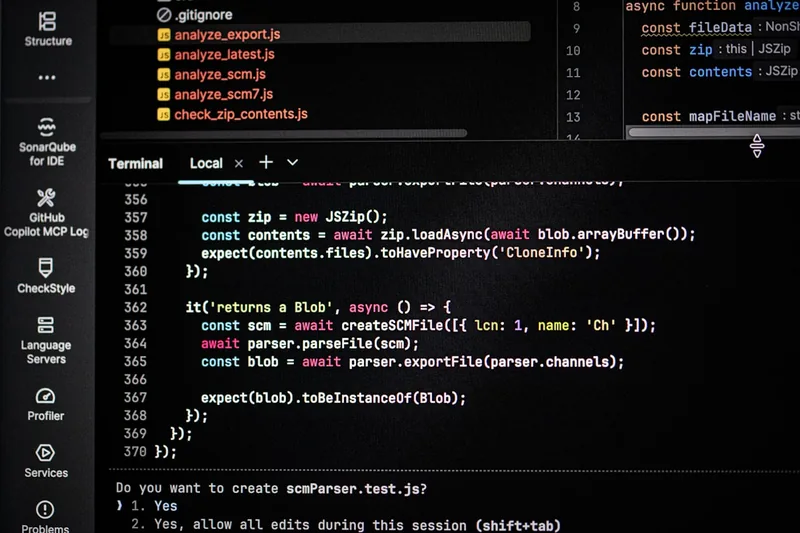
From here, Aider behaves the same whether it's talking to Ollama or a cloud API: describe the change, review the diff, accept it, and Aider commits to git with a generated message. The difference you won't see is the important one - every token of your codebase stays on your machine.
We run this exact Ollama + Aider combination internally for quick scripts and config changes on client infrastructure where we'd rather not paste server details into a cloud chat window. For the heavier engineering work behind projects like our own AI voice receptionist, we still reach for cloud models - the complexity justifies the cost and the data isn't sensitive client information.
Beyond Aider: IDE and Agentic Options
Aider's terminal-first workflow suits some people; others would rather have AI assistance inside the editor itself. VS Code plus the Continue extension does that: it connects a local model straight into your editor, so you can ask it to explain unfamiliar code, refactor a function, or debug an error without copying anything into a separate chatbot window. Point Continue at your local Ollama endpoint and you get AI-assisted coding with zero subscription cost - useful for learning how these tools behave before you ever pay for one.
Once that feels natural, agentic tools like Kilo Code - another VS Code extension - go a step further: the AI can work across multiple files and run terminal commands on your behalf, with your approval at each step. It's a heavier workflow than Aider's edit-review-commit loop, and better suited to larger tasks once you trust how the model behaves.
GitHub Education is worth signing up for with your college or university email - it unlocks free tooling and credits, and getting properly comfortable with Git and GitHub alongside these AI tools will serve you as well as the AI itself does.
The Order I'd Learn This In
Don't install everything on day one. Layering the tools in roughly this order makes each one easier to understand before the next adds complexity:
- Ollama - learn how to download and run a model locally before anything else.
- LM Studio - explore and compare different models through a graphical interface.
- VS Code + Continue - connect your local model to your actual coding environment.
- oMLX (Apple Silicon) - a second, memory-optimised route for serving local models once you're comfortable with the basics.
- Aider or Kilo Code - move on to agentic tools once you understand how a model behaves on smaller tasks.
Throughout all of it, learn Git and GitHub properly - that skill compounds alongside every AI tool on this list and outlasts whichever one you're using today.
Local AI Isn't Just for Coding
Ollama runs a chat interface as easily as it feeds Aider, which means the same private stack handles the everyday tasks that never should have gone to a cloud chatbot in the first place. Drafting a difficult email reply, summarising a confidential PDF, or doing background research on a sensitive topic can all run through ollama run llama3.1:8b without a single byte leaving your machine.
- Email drafts and replies - paste the thread, ask for a draft reply in your tone. Nothing about a client negotiation touches a third-party server.
- Summarising PDFs - feed in contracts, reports, or research papers for a plain-English summary, useful when the document itself is confidential.
- Research and brainstorming - local models are perfectly capable of exploratory "what are the options for X" conversations, where speed and depth matter less than for coding.
- Document drafting - first drafts of proposals, internal policies, or meeting notes, kept entirely off cloud infrastructure.
This is where local AI's quality gap matters least. A 74% vs. 81% benchmark score is a real difference for a gnarly refactor; it's nearly invisible when the task is "summarise this PDF" or "draft a polite decline email." If you're weighing where else AI fits in a small business, our guide to AI for small businesses covers the wider landscape, and the AI services hub shows how these tools connect - including AI chatbots and full custom AI-powered app development for use cases that outgrow a local model entirely.

The Honest Tradeoffs — When Local Wins, When Cloud Still Wins
Neither side of this argument is complete on its own. Local AI wins decisively on two axes and loses clearly on two others - and pretending otherwise is how people end up disappointed with whichever one they picked.
Where local AI wins
- Privacy - structurally impossible to leak your prompt to a third party, because there's no third party in the loop.
- Cost at scale - $0 (£0) marginal cost per query once hardware is running, which matters enormously for heavy, sustained usage.
- No rate limits or outages - your local model works if your power and hardware work, independent of a vendor's uptime or usage caps.
Where cloud AI still wins
- Quality on hard problems - roughly a 6–7 point gap on SWE-bench Verified between the best open-weight and closed models, and it widens on genuinely difficult multi-step tasks.
- Speed for large models - a 70B-class model on consumer hardware runs at roughly 15–60 tokens per second, noticeably slower than most cloud API responses (aggregated GPU benchmarking estimates, 2026).
- Zero setup - no GPU to buy, no drivers to configure, no models to download and manage.
- Low cost for light use - a $20 (£16)/month subscription beats buying dedicated hardware if you're not using AI heavily.
A pragmatic middle ground works well in practice: run a local model through Ollama and Aider for anything touching sensitive data or repetitive everyday tasks, and reach for a cloud model when a problem is hard enough to justify the cost and the data isn't sensitive. You don't have to pick one stack forever.
Worth being blunt about: a powerful laptop running local models is not a replacement for cloud AI, and it's not trying to be. The companies behind the big cloud services run enormous GPU infrastructure that a laptop simply can't reproduce - frontier models generating well over 100 tokens per second, far beyond what consumer hardware manages. Think of your laptop as a personal AI workshop instead: the place for learning, experimentation, privacy-sensitive work, routine coding help, and offline tasks where you'd rather not pay per token. Save the cloud for the hardest problems, the largest context windows, or when raw speed matters more than privacy.
If you do lean mainly on a cloud subscription, one habit pays for itself: split large tasks into smaller chunks rather than dumping an entire project into one long conversation. It keeps the context window - and your monthly token bill - under control, and it usually produces better answers besides.
Is a Local AI Stack Right for You?
Local AI makes sense if: you regularly handle sensitive client, patient, or proprietary data; you already have or are willing to buy a capable GPU; and your AI usage is heavy enough that cloud API costs would otherwise run into hundreds of dollars a month. It's a better fit for developers, consultants, and small business owners handling confidential material than for someone doing occasional light chatbot queries.
It's probably not worth the setup effort if: your AI use is occasional and doesn't involve sensitive data; you don't already own capable hardware and don't want to buy any; or you need frontier-level quality on genuinely hard problems where the 6–7 point benchmark gap matters. For those cases, a $20 (£16)/month cloud subscription remains the simpler, cheaper choice.
If you're weighing AI adoption more broadly for your business - beyond a personal coding setup - our services team and automation specialists can help map out where private, self-hosted tools fit against cloud-based ones for your specific data and workflow.
Frequently Asked Questions
Is Ollama really free to use?
Yes. Ollama itself is free, open-source software, and most models it runs (Llama, Qwen, Mistral, Gemma) are free open-weight downloads. Your only cost is the electricity to run your own hardware - there's no subscription or per-token fee.
Do I need an expensive GPU to run local AI?
No. A 7B-parameter coding model needs roughly 8GB of VRAM, which a $300–400 (£240–320) consumer GPU or even a modern MacBook's unified memory can handle. You only need a $1,500+ (£1,200+) GPU if you want 70B-class models running at good speed.
Can Aider really replace Cursor or GitHub Copilot?
For many day-to-day coding tasks, yes - especially paired with a strong cloud model. Paired with a local model via Ollama, Aider is noticeably weaker on complex multi-file refactors, but handles boilerplate, tests, and small fixes well while keeping your code off third-party servers.
Is local AI actually more private than ChatGPT or Claude?
Yes, structurally. A locally-run model never sends your prompts or files over the network - everything stays on your machine. Cloud providers process your data on their servers under their retention policies, which is the core concern driving 81% of developers to worry about AI data privacy (Stack Overflow, 2025).
When does local AI actually save money?
Local AI pays off for heavy, sustained usage - developers running AI-assisted coding for hours daily, where cloud API costs can reach $150–300+ (£120–240+) per month. For occasional use, a $20 (£16) per month cloud subscription is usually cheaper than buying and running dedicated hardware.
Do I need a powerful laptop to try local AI?
No. Try Ollama on the machine you already own first - most laptops from the last few years handle a 7B or 8B model acceptably. Only consider new hardware once you know local AI fits your workflow and you specifically want to run larger models comfortably.
Should I prioritise a faster processor or more memory when buying hardware for this?
Memory, every time. On a Mac, unified memory holds the model, the context window, and your normal apps all at once - run short and the system swaps to disk, killing responsiveness. On Windows or Linux, VRAM plays the same role. A faster processor helps far less than most buying guides suggest.
Batra.ai helps small businesses across Greater London and the M25 corridor integrate AI tools - cloud or self-hosted - into their existing workflows. Book a free consultation →