
Smart lighting is the most popular entry point into home automation — and the most likely to disappoint. The pitch is seductive: control every light from your phone, set scenes for movie night, wake up to a simulated sunrise. But the reality for most buyers involves a tangle of incompatible protocols, apps that fight each other for control, and the maddening discovery that when someone flips the wall switch, the entire system goes dark. According to Statista, the UK smart home market will reach £12.5 billion in revenue by 2025 — yet research from Secured Data Recovery found that 87% of smart home device owners report their devices do not work properly.
Source: Statista
Source: Secured Data Recovery
Source: Connectivity Standards Alliance
This guide strips away the marketing language and explains what actually matters when choosing smart lighting for a UK home. We cover the real differences between smart bulbs and smart switches, the protocol wars that cause most compatibility headaches, the UK-specific wiring problems that nobody warns you about, and a practical framework for building a lighting system that works reliably — even when the Wi-Fi drops or a guest reaches for the light switch.
Smart Bulbs vs Smart Switches: The Decision That Changes Everything
Every smart lighting project starts with one fundamental choice: do you replace the bulbs, or replace the switches? This single decision determines your budget, your compatibility options, your family's daily experience, and how frustrated you will be six months from now. Most buyers choose smart bulbs because they are easier to install. Most installers recommend smart switches because they cause fewer problems long-term.

Smart Bulbs: Maximum Flexibility, Maximum Frustration
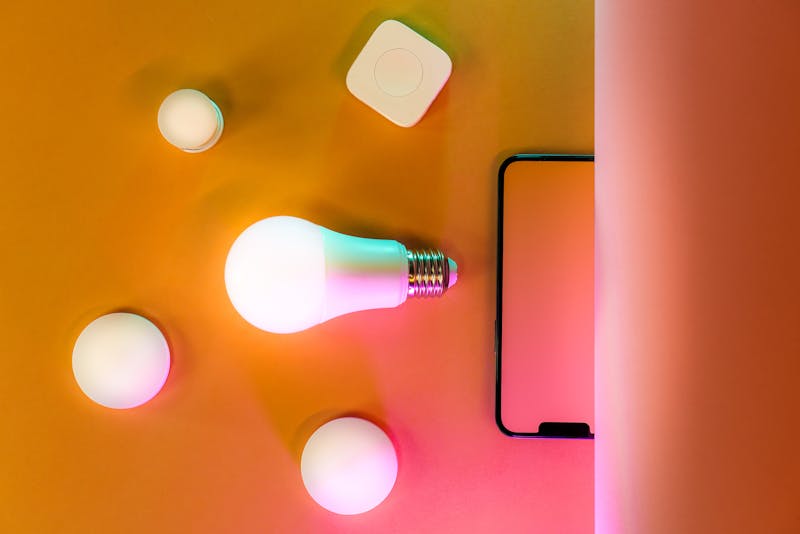
Smart bulbs replace the bulb itself with a unit containing an LED driver, a wireless radio (Wi-Fi, Zigbee, or Thread), and often an RGB colour module. They screw into existing fittings — E27, B22, GU10 — and connect to your home network through an app. Colour-changing bulbs from brands like Philips Hue start at around £15–35 per bulb, with a hub adding £40–50 on top if you choose Zigbee.
The appeal is obvious: no electrician required, every bulb can be independently controlled, and colour-changing options let you shift from cool white for working to warm amber for relaxing. For renters who cannot modify wiring, smart bulbs are often the only option.
But smart bulbs carry a fundamental design flaw that manufacturers rarely advertise clearly.
When someone turns off the physical wall switch, a smart bulb loses all power. Its wireless radio shuts down completely. The bulb becomes invisible to your app, your voice assistant, and every automation routine you have set up. There is no workaround — the physics of the situation means the bulb needs constant electrical current to keep its radio alive. This is the single most common complaint in smart lighting, and it affects every smart bulb brand on the market.
Smart Switches: Less Glamorous, More Reliable
Smart switches replace the wall switch with a unit that contains a wireless radio and a relay. The bulbs themselves are standard LEDs — no smarts required. One switch controls every bulb on that circuit, the physical toggle still works for family members and guests, and you avoid the dumb switch problem entirely because the switch is the smart device.
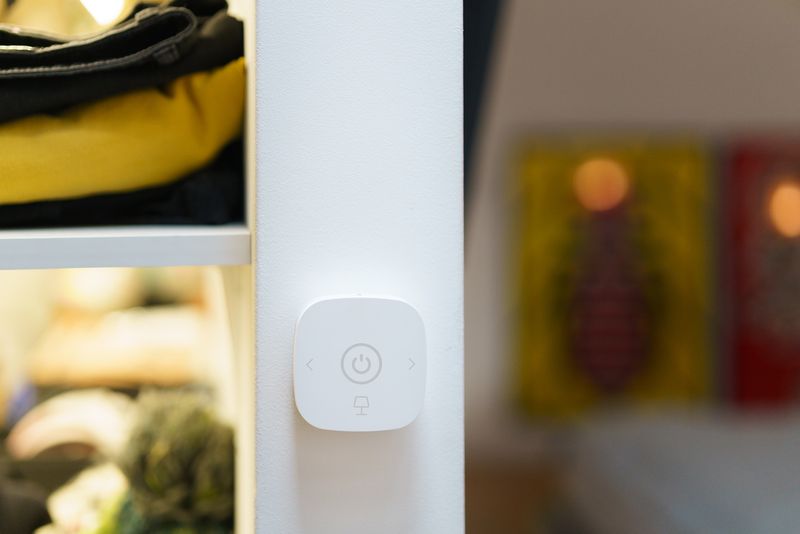
At £15–40 per switch, smart switches are dramatically more cost-effective in rooms with multiple bulbs. A kitchen with six GU10 downlights needs either six smart bulbs (£90–210) or one smart switch (£15–40). The switch also means you can use whatever LED bulbs you prefer — buying in bulk from your local hardware shop rather than paying the smart-bulb premium.
The catch: smart switches require electrical installation, and in the UK, that means a specific wiring problem we will address shortly.
| Feature | Smart Bulbs | Smart Switches |
|---|---|---|
| Installation | Screw in, connect via app | Electrical work (often needs an electrician) |
| Colour changing | Yes (RGB models) | No — uses standard bulbs |
| Cost per room (6 lights) | £90–210 + hub | £15–40 per switch |
| Physical switch works? | Breaks the system | Yes — designed for it |
| Best for | Accent lighting, bedside lamps, renters | Main room lighting, families, whole-home |
| Network load | One device per bulb | One device per circuit |
The Protocol Maze: Why Your Devices Won't Talk to Each Other
Smart lighting devices communicate using wireless protocols, and choosing the wrong one locks you into an ecosystem that may not play well with the rest of your home. There are four major protocols in the UK market right now, and understanding their tradeoffs is essential before spending a penny.
Wi-Fi: Simple but Fragile at Scale
Wi-Fi smart bulbs and switches connect directly to your home router — no hub required. This is the simplest setup and the one most Amazon-purchased smart bulbs use. The problem emerges at scale: each bulb is a separate Wi-Fi client occupying a DHCP lease on your router. Install 20 smart bulbs and you have 20 additional devices competing for bandwidth and router memory. Most consumer routers begin to struggle above 30–40 connected devices total, and smart bulbs are notorious for dropping off the network during peak usage hours.
Zigbee: The Proven Workhorse
Zigbee is a low-power mesh networking protocol used by Philips Hue, IKEA DIRIGERA, and Samsung SmartThings. It requires a hub (bridge) but operates on its own radio frequency, meaning your smart lights do not touch your Wi-Fi bandwidth. Each Zigbee device strengthens the mesh by relaying signals to nearby devices, so larger installations actually become more reliable. The downside: Zigbee devices from different manufacturers do not always interoperate perfectly, and you need that hub.
Thread and Matter: The Great Unifier (Almost)
Thread is the newest mesh protocol, designed specifically to solve the problems Zigbee and Z-Wave created. Matter is the application layer that runs on top of Thread (and Wi-Fi and Ethernet), backed by Apple, Google, Amazon, and Samsung. The Connectivity Standards Alliance reports over 10,400 Matter-certified products from more than 500 companies as of 2025.
Matter promises that a Philips Hue bulb, an IKEA switch, and an Amazon Echo will all communicate natively without proprietary bridges. In practice, adoption is accelerating — IKEA's new KAJPLATS bulbs carry dual Zigbee and Matter-over-Thread radios, and Philips Hue's Bridge Pro now supports Matter over Thread natively. But multi-admin control (using the same device across Apple Home, Google Home, and Alexa simultaneously) remains inconsistent, and some advanced features only work within the manufacturer's own app.
| Protocol | Hub Required? | Network Impact | Range | Best For |
|---|---|---|---|---|
| Wi-Fi | No | High (uses router bandwidth) | Good (depends on router) | Small setups (1–10 devices) |
| Zigbee | Yes | None (separate radio) | Mesh (extends with more devices) | Whole-home lighting |
| Z-Wave | Yes | None (separate radio) | Mesh (max 232 devices) | Multi-device automation |
| Thread/Matter | Border router | None (separate radio) | Mesh (self-healing) | Future-proof mixed ecosystems |
If you are starting fresh in 2026, prioritise Matter-compatible devices wherever possible. For existing Zigbee setups (Hue, IKEA), both brands now offer Matter bridges that expose your current devices to the Matter ecosystem — you do not need to replace everything. Avoid Wi-Fi-only bulbs for anything beyond a single room.
The UK Wiring Problem Nobody Warns You About
This is the section that saves UK homeowners the most money and frustration. Many UK homes built before the 1990s use a wiring method called loop-in wiring, where the neutral wire runs to the ceiling rose but not to the wall switch. The switch box contains only a live and a switched-live wire — no neutral.
This matters because most smart switches need a neutral wire to power their internal electronics. Without it, the switch cannot stay connected to Wi-Fi or Zigbee when the light is turned off. North American smart home guides never mention this because US wiring standards require a neutral at the switch box. In the UK, it is one of the most common reasons smart switch installations fail.
No-Neutral Solutions for UK Homes
The market has responded with several workarounds, each with tradeoffs:
- Shelly 1L Gen3: A Wi-Fi and Matter-certified smart relay that fits behind your existing switch plate. Specifically designed for no-neutral installations. Requires a minimum load of 20W (typically one LED bulb is enough). Around £15–20.
- Zigbee no-neutral switches: Available from brands like Sonoff and Moes. Require a Zigbee hub. Work by passing a small trickle current through the bulb when off — can cause faint glowing with some cheap LEDs.
- Rewiring: An electrician can pull new 3-core cable from the switch to the ceiling rose, providing a proper neutral. Most reliable long-term solution but costs £80–150 per switch point depending on access.
Turn off the circuit breaker, remove the switch face plate, and count the wires. Two wires (typically both in red or brown sleeving, one with a marking) means no neutral — you have a switch loop. Three or more wires with distinct colours (brown live, blue neutral, green/yellow earth) means you have a neutral present. If in doubt, consult a qualified electrician before purchasing smart switches.
The Dimmer Compatibility Trap
If your home has existing dimmer switches and you install LED smart bulbs, you may encounter flickering, buzzing, and lights that refuse to dim below 20% brightness. This is not a defect in the bulbs — it is a fundamental incompatibility between old dimmer technology and modern LED drivers.
Most dimmers installed in UK homes before 2015 are TRIAC-based leading-edge dimmers, designed for the resistive load of incandescent and halogen bulbs. They work by chopping the AC waveform — a method that incandescent filaments handle smoothly but LED drivers interpret as unstable input. The result is visible flicker, audible buzzing from the driver coil, and sudden dropout at low brightness levels where the driver cannot maintain a stable output.
The Fix
Replace old TRIAC dimmers with trailing-edge (reverse-phase) dimmers that use MOSFET technology. These are specifically designed for LED loads and provide smooth, flicker-free dimming down to 1–5% brightness. Brands like Varilight, Hamilton, and Lutron all offer trailing-edge dimmers in standard UK plate sizes. Budget £20–40 per dimmer — a small price to avoid months of flickering irritation.
Alternatively, if you are using smart bulbs with built-in dimming (Hue, IKEA), bypass the physical dimmer entirely and use a flat smart switch or a switch cover plate. The dimming happens in the bulb's driver, not at the wall.
Building a System That Actually Works: A Practical Framework
After installing smart lighting in hundreds of homes across Greater London, we have developed a decision framework that prevents the most common mistakes. The key insight: use smart switches for most rooms and reserve smart bulbs for specific use cases.
Room-by-Room Recommendations
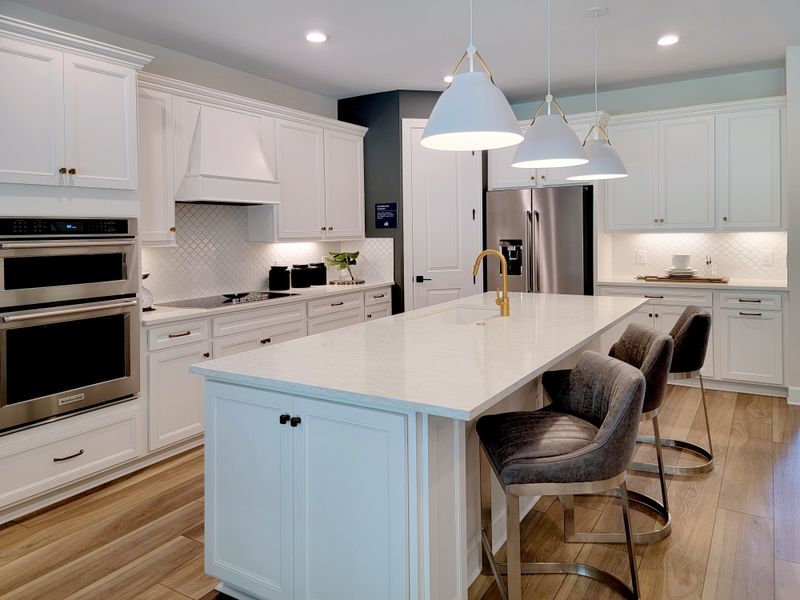
- Kitchen: Smart switch. Multiple downlights, used by everyone in the household. The physical switch must always work. Consider a smart dimmer switch for mood control during meals.
- Living room: Smart switch for the main ceiling light, smart bulbs for table/floor lamps where you want colour temperature control. This hybrid approach gives you the best of both worlds.
- Bedroom: Smart bulbs for bedside lamps (wake-up simulation, warm reading light). Smart switch for the main ceiling light if you have one.
- Bathroom: Smart switch only. Moisture resistance is critical and smart bulbs in enclosed bathroom fittings can overheat. A smart switch with motion detection is ideal here.
- Hallway and stairs: Smart switch with motion detection. These lights are purely functional — nobody needs RGB in a hallway. Automatic on/off based on movement is the most useful automation in the house.
- Garden/exterior: Smart switch or smart relay (Shelly) controlling standard outdoor-rated LED fittings. Schedule to turn on at sunset automatically.
The "Guest Test"
Before declaring any smart lighting installation complete, apply the guest test: can someone who has never been to your home walk into any room and turn the lights on and off without instructions, without an app, and without asking you for help? If the answer is no, your system has a usability problem. Smart lighting should enhance convenience, not create a new dependency.
Energy Savings: The Numbers That Actually Matter
Smart lighting advocates often cite impressive energy savings, but the numbers need context. According to the Energy Saving Trust, replacing all halogen bulbs with LEDs can save approximately £250 per year for a typical UK household. LEDs use up to 80% less energy than incandescent bulbs and last up to 25,000 hours compared to 1,000 hours for halogen — a 25x lifespan improvement.
Adding smart controls on top of LEDs delivers an additional 20–40% reduction in lighting energy consumption through three mechanisms: scheduling (lights turn off when rooms are unoccupied), dimming (running lights at 70% brightness saves roughly 20% energy while being barely perceptible), and occupancy sensing (motion-triggered lights in hallways and bathrooms eliminate the "left the light on" problem entirely).
Source: Energy Saving Trust
Source: LED Supply and Fit
Source: Energy Saving Trust
Brand Compatibility: Who Works With Whom
The smart lighting market in 2026 is consolidating around Matter, but legacy devices still dominate installed bases. Here is how the major brands stack up for UK buyers:
| Brand | Protocol | Hub Required | Matter Support | No-Neutral Option |
|---|---|---|---|---|
| Philips Hue | Zigbee | Hue Bridge / Bridge Pro | Yes (via bridge) | No |
| IKEA DIRIGERA | Zigbee + Thread | DIRIGERA hub | Yes (native + bridge) | No |
| Shelly | Wi-Fi + Matter | No | Yes (Gen3+) | Yes (1L Gen3) |
| Lutron RA2 Select | Clear Connect RF | Main repeater | No (proprietary) | Yes |
| TP-Link Tapo | Wi-Fi | No | Partial (newer models) | No |
Our recommendation for most UK homes: Shelly smart relays behind existing switches for the main rooms (no hub, no neutral wire needed, Matter-certified), combined with Philips Hue or IKEA bulbs in accent positions where you want colour control. This gives you the reliability of smart switches for daily use and the flexibility of smart bulbs where it genuinely adds value.
UK Security Law: What the PSTI Act Means for Your Smart Lights
Since 29 April 2024, the UK's Product Security and Telecommunications Infrastructure (PSTI) Act requires all consumer smart devices sold in the UK to meet minimum cybersecurity standards. This covers smart bulbs, switches, plugs, and every other IoT device. Manufacturers must eliminate default passwords, publish a vulnerability disclosure policy, and state how long the device will receive security updates.
This matters for buyers because it means cheap, no-name smart bulbs imported from overseas marketplaces may not comply with UK law and will not receive security patches. When choosing smart lighting products, verify that the manufacturer states a security update period (look for this on the product packaging or website). Brands like Philips Hue, IKEA, and Shelly all publish clear update commitments.

Common Mistakes to Avoid
After years of installing and troubleshooting smart lighting systems, these are the errors we see most frequently:
- Buying 30 Wi-Fi bulbs without upgrading the router. Consumer routers buckle above 30–40 connected devices. If you are going Wi-Fi, invest in a mesh router system or choose Zigbee/Thread instead.
- Mixing protocols without a plan. A Zigbee bulb cannot talk to a Wi-Fi switch without a bridge coordinating the action. Choose one primary protocol and stick with it.
- Ignoring the neutral wire question. Ordering smart switches online without checking your wiring first leads to returns, delays, and frustration. Check before you buy.
- Using RGB bulbs in every room. Colour-changing bulbs cost 2–3x more than white-only smart bulbs. Most rooms need only tuneable white (warm to cool) — save RGB for accent lighting.
- Forgetting about the rest of the family. A system that only works via app or voice is a system that annoys everyone else in the house. Always ensure the physical switch functions correctly.
- Skipping the dimmer check. Old leading-edge dimmers cause LED flickering. Replace them before blaming the bulbs.
The Bottom Line
Smart lighting technology in 2026 is more capable and more interoperable than it has ever been. The Matter protocol is finally delivering on its promise of cross-platform compatibility, and brands like IKEA are driving prices down to the point where smart bulbs cost barely more than premium LEDs. But the fundamentals have not changed: a system built around smart switches will be more reliable, more family-friendly, and more cost-effective than one built entirely around smart bulbs.
Start with the rooms where automation delivers the most value — hallways with motion-triggered lighting, kitchens where a single smart switch replaces six individual bulb purchases, and exterior lights on sunset schedules. Add colour-changing bulbs sparingly, only where the feature genuinely improves the space. And above all, apply the guest test: if someone without an app or a login can walk through your home and every light works normally, you have built the system right.
Batra.ai covers Greater London and the M25 corridor. We design and install complete smart lighting systems — from no-neutral relay installations to whole-home Zigbee and Matter setups. Get a free quote →